


Finding the right mileage tracker app can make or break your business tax deductions, and TripLog has been a popular choice among professionals for years. However, as we move into 2026, the landscape of mileage tracking technology has evolved significantly, with new features, better accuracy, and more user-friendly interfaces becoming the standard. Whether you’re a rideshare driver, freelancer, or business owner, understanding how TripLog compares to modern alternatives is crucial for maximizing your tax savings.
The mileage tracker app by TripLog has served millions of users, but recent developments in GPS technology, AI automation, and mobile app design have raised questions about whether it still offers the best value. In this comprehensive guide, we’ll examine TripLog’s features, explore its strengths and limitations, and introduce you to more advanced solutions that could save you time and money on your 2026 tax returns.
Understanding TripLog’s Core Features and Functionality
Automatic GPS Tracking Capabilities
The mileage tracker app by TripLog relies primarily on GPS technology to automatically detect and record your business trips. When you start driving, the app uses your device’s location services to track your route, calculating the total distance traveled. This automatic detection feature has been TripLog’s main selling point, promising to eliminate the need for manual trip logging.
However, users frequently report accuracy issues with TripLog’s GPS tracking, particularly in urban areas with tall buildings or when driving through tunnels. The app sometimes fails to detect short trips or incorrectly categorizes personal drives as business trips. These accuracy problems can lead to incomplete mileage records or potential issues during IRS audits.
The app does offer manual trip editing capabilities, allowing users to adjust start and end points, modify trip purposes, and add missing trips. While this flexibility is helpful, it also means users must regularly review and correct their automatically tracked trips, reducing the promised convenience of full automation.
Trip Classification and Business Categories
TripLog provides several preset business categories for classifying your trips, including client visits, business meetings, delivery services, and medical appointments. Users can also create custom categories to match their specific business needs. The app allows you to assign different clients or projects to individual trips, which can be valuable for detailed expense tracking and client billing.
The classification system works reasonably well, but it requires consistent user input to maintain accuracy. Unlike more advanced mileage tracking solutions, TripLog doesn’t offer AI-powered trip classification that learns from your driving patterns and automatically suggests appropriate business categories.
One notable limitation is the app’s handling of multi-stop trips. If you visit multiple clients or locations during a single outing, TripLog may split these into separate trips or combine them inappropriately, requiring manual intervention to ensure accurate records for tax purposes.
Reporting and Export Options
The mileage tracker app by TripLog generates various reports suitable for tax preparation and business accounting. Users can export their mileage data in multiple formats, including PDF, Excel, and CSV files. The reports include essential information such as trip dates, distances, business purposes, and calculated deductions based on current IRS mileage rates.
However, the reporting interface feels outdated compared to modern alternatives, and customization options are limited. Users often find themselves needing to manipulate exported data in external spreadsheet applications to create the specific reports required by their accountants or tax software.
Pricing Structure and Value Analysis for 2026
Subscription Tiers and Cost Breakdown
TripLog operates on a freemium model with limited functionality in the free version and several paid subscription tiers. The basic free plan allows tracking of up to 40 trips per month, which quickly becomes insufficient for active professionals. The premium plans range from approximately $6 to $15 per month, depending on the feature set and number of vehicles tracked.
When comparing the mileage tracker app by TripLog to competitors in 2026, the pricing appears reasonable at first glance. However, the value proposition becomes questionable when considering the accuracy issues, dated interface, and limited automation features. Many users find themselves paying for premium features that don’t consistently deliver the promised convenience and reliability.
The annual subscription offers some cost savings, but users should carefully consider whether TripLog’s current feature set justifies a year-long commitment, especially given the rapid evolution of mileage tracking technology and the availability of more advanced alternatives.
Hidden Costs and Additional Fees
While TripLog’s advertised pricing seems straightforward, users often encounter additional costs that aren’t immediately apparent. The app charges extra for certain report formats, advanced categorization features, and integration with popular accounting software platforms. These additional fees can quickly add up, making TripLog more expensive than initially anticipated.
Furthermore, the accuracy issues mentioned earlier can result in hidden costs in the form of missed deductions or potential problems during tax audits. If your mileage tracking isn’t comprehensive and accurate, you could lose hundreds or thousands of dollars in legitimate business deductions.
Professional tax preparation services also charge more when working with incomplete or poorly organized mileage data, which could be an additional cost for TripLog users who struggle with the app’s accuracy and reporting limitations.
User Experience and Interface Design Challenges
Navigation and Usability Issues
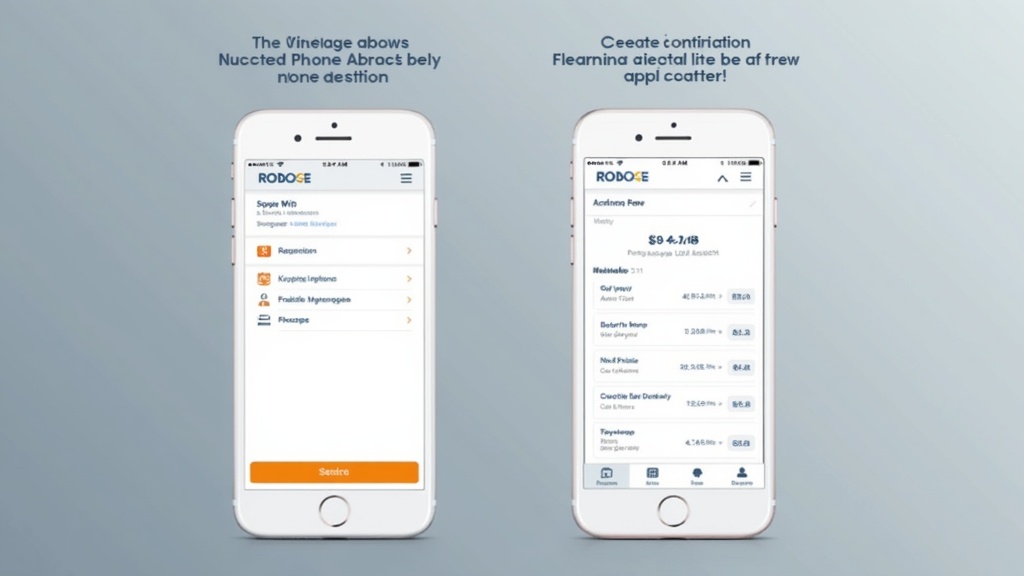
The user interface of the mileage tracker app by TripLog hasn’t kept pace with modern app design standards. Users frequently complain about confusing navigation, outdated visual elements, and a learning curve that shouldn’t exist in today’s user-friendly app environment. The app’s menu structure is often illogical, making simple tasks like editing trips or generating reports more complicated than necessary.
New users typically require significant time to understand TripLog’s workflow and feature organization. This learning curve is particularly problematic for busy professionals who need a mileage tracking solution that works intuitively from day one. The app’s help documentation is extensive but often necessary due to the un-intuitive interface design.
Mobile responsiveness is another concern, with the app sometimes displaying incorrectly on different screen sizes or orientations. Given that mileage tracking is primarily a mobile activity, these interface issues directly impact daily usability and user satisfaction.
Before exploring this comprehensive video guide to mileage tracking apps, it’s worth noting that many professionals are discovering more efficient alternatives to traditional solutions like TripLog.
Technical Performance and Reliability
Performance issues have been a consistent complaint among TripLog users throughout 2025 and into 2026. The app frequently experiences slow loading times, particularly when accessing historical trip data or generating reports. Battery drain is another significant concern, with many users reporting that TripLog consumes excessive power even when running in the background.
Sync issues between devices represent another major technical challenge. Users who switch between smartphones and tablets often find that their trip data doesn’t sync properly across devices, leading to incomplete records and potential data loss. Cloud backup functionality exists but isn’t always reliable, creating anxiety for users who depend on comprehensive mileage tracking for their business operations.
The app also struggles with software updates, sometimes introducing new bugs while attempting to fix existing issues. This pattern of inconsistent technical performance undermines user confidence and makes TripLog a risky choice for professionals who need dependable mileage tracking throughout the year.
Superior Alternatives to TripLog in 2026
Why Modern Solutions Outperform TripLog
The mileage tracking industry has evolved significantly, with new apps offering superior GPS accuracy, AI-powered automation, and intuitive user interfaces that make TripLog feel outdated. Modern solutions utilize advanced machine learning algorithms to automatically classify trips with remarkable accuracy, reducing the manual work that TripLog still requires.
Contemporary mileage tracker apps also offer seamless integration with popular accounting software, tax preparation tools, and expense management platforms. This integration capability eliminates the need for manual data exports and imports, streamlining the entire business expense tracking workflow in ways that TripLog simply cannot match.
Battery optimization has also improved dramatically in newer apps, with intelligent background processing that tracks your miles without significantly impacting device performance. These technical improvements make modern alternatives much more practical for daily business use.
| Feature | TripLog | Milelify | Alternative Options |
|---|---|---|---|
| GPS Accuracy | Moderate | Excellent | Good |
| Automatic Classification | Basic | AI-Powered | Variable |
| User Interface | Outdated | Modern & Intuitive | Mixed |
| Battery Efficiency | Poor | Optimized | Variable |
| Integration Options | Limited | Comprehensive | Good |
Milelify: The Leading Alternative for Professional Mileage Tracking
Milelify represents the next generation of mileage tracking technology, designed specifically for the challenges and opportunities of 2026. Unlike the mileage tracker app by TripLog, Milelify utilizes advanced GPS algorithms and machine learning to deliver unprecedented accuracy in automatic trip detection and classification. The app learns from your driving patterns and business activities, becoming more intelligent and helpful over time.
Key advantages that set Milelify apart include:
- Superior GPS accuracy that works reliably in urban environments, tunnels, and parking garages
- AI-powered trip classification that automatically identifies business vs. personal drives with over 95% accuracy
- Intuitive modern interface designed for busy professionals who need quick, efficient mileage tracking
- Optimized battery usage that extends your device’s battery life while maintaining comprehensive tracking
- Seamless integration with popular accounting software, tax preparation tools, and expense management platforms
The app also offers comprehensive reporting features that generate IRS-compliant documentation automatically, eliminating the manual work and accuracy concerns associated with older solutions like TripLog. Professional users consistently report saving hours of time each month while achieving more accurate and complete mileage records. Experience the difference with Milelify’s advanced mileage tracking technology.
Making the Right Choice for Your Business in 2026
Evaluating Your Specific Mileage Tracking Needs
Choosing the right mileage tracking solution depends on several factors specific to your business operations and technical preferences. Consider your monthly driving volume, the complexity of your trip categorization needs, and your comfort level with technology when evaluating options. High-volume drivers, such as rideshare operators or delivery professionals, need more robust solutions than occasional business travelers.
Integration requirements also play a crucial role in your decision. If you use specific accounting software or tax preparation tools, ensure your chosen mileage tracker offers seamless data exchange with these platforms. The mileage tracker app by TripLog’s limited integration options have become a significant disadvantage in 2026’s interconnected business software ecosystem.
Budget considerations should include not just subscription costs but also the value of your time and the potential tax implications of incomplete or inaccurate mileage records. A slightly more expensive app that saves hours of manual work and ensures comprehensive deduction capture often provides better overall value than cheaper alternatives with significant limitations.
Future-Proofing Your Mileage Tracking Strategy
The mileage tracking industry continues evolving rapidly, with new features and capabilities emerging regularly. When selecting a solution for 2026 and beyond, consider the vendor’s track record of innovation and their commitment to staying current with technology trends and regulatory changes.
Cloud-based solutions offer better long-term viability than apps tied to specific devices or operating systems. Look for providers that offer robust data export options, ensuring you can migrate your historical data if you need to switch solutions in the future. This flexibility protects your valuable mileage records and maintains continuity in your business expense tracking.
Consider also the vendor’s customer support quality and responsiveness. Reliable technical support becomes crucial during tax season or when dealing with IRS audits, making this an important factor in your long-term satisfaction with any mileage tracking solution.
For additional insights on optimizing your business mileage tracking strategy, explore our comprehensive resources at the Milelify blog, where we regularly publish updated guides on tax deduction strategies and mileage tracking best practices.
Professional Recommendations for 2026
Based on extensive analysis of current market offerings, most business professionals will find better value and performance in modern alternatives to the mileage tracker app by TripLog. The combination of improved accuracy, user experience, and integration capabilities available in newer solutions justifies making a change, especially for users experiencing frustration with TripLog’s limitations.
For professionals seeking maximum deduction capture and minimal manual work, investing in a premium solution like QuickBooks’ mileage tracking features or advanced specialized apps often proves worthwhile. However, many users find that modern dedicated solutions offer the best balance of features, usability, and cost-effectiveness.
The key is choosing a solution that grows with your business needs while providing reliable, accurate mileage tracking that you can trust for tax purposes. Don’t settle for outdated technology when superior alternatives are readily available and competitively priced.
Ready to upgrade your mileage tracking experience beyond TripLog’s limitations? Try Milelify today and discover how modern GPS technology and AI-powered automation can save you time while maximizing your business tax deductions. With our 2026-optimized features and user-friendly design, you’ll wonder why you ever struggled with outdated mileage tracking solutions. Join thousands of professionals who have already made the switch to more reliable, accurate, and efficient mileage tracking technology.