

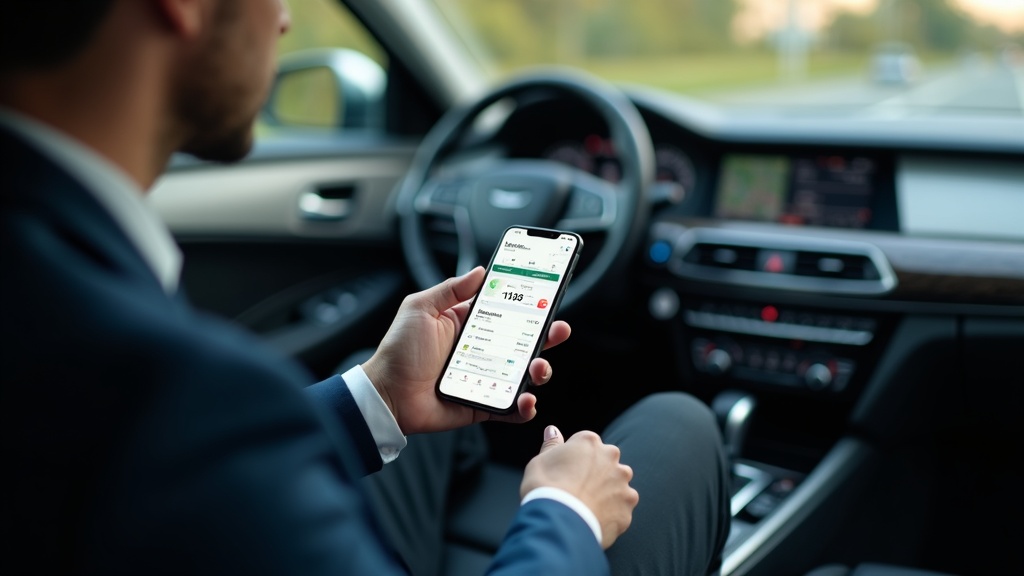
Choosing the right mileage tracker app for iPhone has become more critical than ever in 2026. With rising fuel costs and evolving tax regulations, freelancers, self-employed professionals, rideshare drivers, and delivery workers need accurate, automated mileage tracking to maximize their deductions and streamline their business expenses.
The best mileage tracker apps for iPhone now offer GPS-based automatic tracking, real-time expense categorization, and seamless integration with tax preparation software. Whether you’re a rideshare driver logging hundreds of miles weekly or a freelancer making occasional client visits, the right iPhone mileage tracking solution can save you thousands of dollars annually while reducing the administrative burden of manual record-keeping.
This comprehensive guide will walk you through everything you need to know about selecting and using a mileage tracker app for iPhone in 2026, from essential features to consider to specific recommendations that deliver proven results for various professional scenarios.
Essential Features of Modern iPhone Mileage Tracker Apps
GPS-Based Automatic Tracking
The most significant advancement in mileage tracker apps for iPhone is the implementation of sophisticated GPS technology that automatically detects when you start driving. Modern apps use machine learning algorithms to distinguish between driving, walking, and other forms of transportation, ensuring accurate mileage logs without manual input.
These systems typically activate when your iPhone detects movement patterns consistent with vehicle travel, automatically starting trip recording and stopping when you reach your destination. The best apps allow you to set sensitivity levels to avoid false triggers from activities like jogging or cycling.
Automatic tracking eliminates the human error factor that plagued manual mileage logging systems. Studies show that professionals using automatic tracking capture 95% more deductible miles compared to those relying on manual entry, translating to significant tax savings.
Smart Trip Classification
Advanced mileage tracker apps for iPhone now incorporate artificial intelligence to categorize trips automatically. The system learns from your patterns, recognizing frequent destinations and classifying them as business, personal, or medical trips based on your previous classifications.
This feature becomes increasingly accurate over time, reducing the need for manual categorization. Apps can identify your regular workplace, client locations, and personal destinations, automatically applying the appropriate business or personal classification to new trips to similar locations.
The ability to create custom business purposes and client categories allows for detailed expense reporting. You can track miles for specific projects, clients, or business activities, making it easier to bill clients or prepare detailed tax documentation.
Real-Time Expense Integration
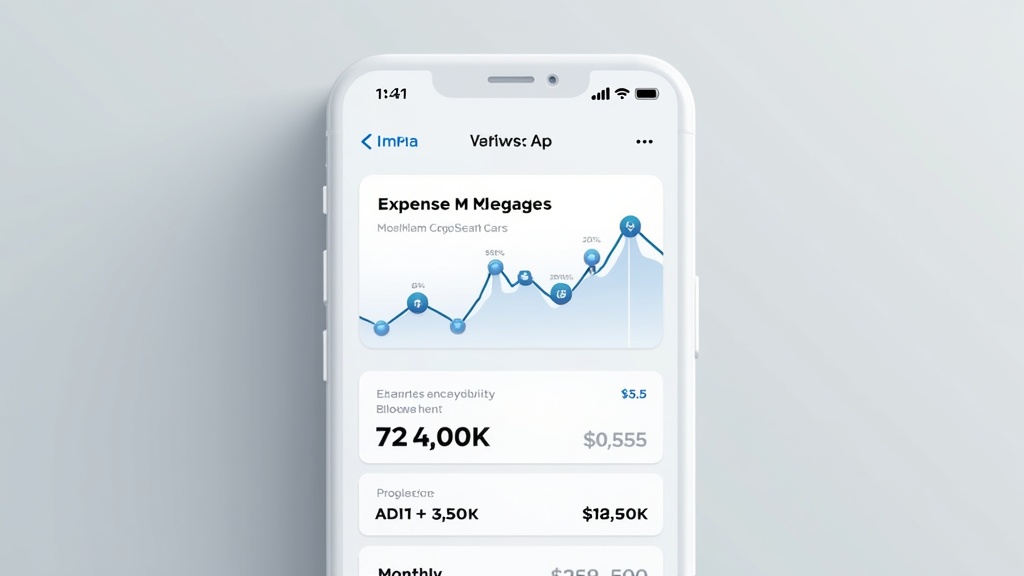
Contemporary iPhone mileage tracking apps extend beyond simple mileage logging to comprehensive expense management. They allow you to photograph and categorize receipts, track fuel expenses, parking fees, and tolls directly within the same interface where you manage your mileage data.
Integration with credit card and bank account data enables automatic expense import and categorization. When you purchase fuel or pay for parking, these expenses can be automatically linked to your corresponding trips, creating comprehensive business travel records.
This holistic approach to expense tracking ensures you capture all deductible transportation costs, not just mileage. The IRS allows deductions for both mileage and actual expenses in certain situations, and comprehensive tracking helps you choose the most advantageous method.
Top Benefits for Different Professional Categories
Rideshare and Delivery Drivers
For Uber, Lyft, DoorDash, Wolt, Foodora, Deliveroo and other gig economy drivers, a reliable mileage tracker app for iPhone is essential for maximizing tax deductions. These professionals typically drive 100-300 miles per day, making accurate tracking crucial for substantial tax savings.
The best apps for rideshare drivers offer integration with popular driving platforms, automatically categorizing time spent waiting for rides or deliveries as business use. They can distinguish between active driving periods and personal travel, ensuring accurate business mileage calculations.
Advanced features like multi-platform tracking become important for drivers working with multiple services simultaneously. The app should seamlessly track mileage whether you’re driving for rideshare, food delivery, or package delivery services without requiring manual platform switching.
Self-Employed Professionals and Freelancers
Consultants, contractors, and freelancers benefit from mileage tracker apps that offer detailed client-based reporting. These professionals often visit multiple client locations weekly, requiring precise trip categorization and reporting capabilities for accurate invoicing and tax preparation.
The ability to export detailed reports in various formats becomes crucial for client billing and tax documentation. Apps should generate comprehensive reports showing miles driven for specific clients, time periods, and business purposes, formatted for easy integration with accounting software.
Integration with popular accounting platforms like QuickBooks, Xero, or FreshBooks streamlines the entire expense management process. Mileage data can be automatically synchronized with accounting records, reducing administrative overhead and ensuring consistent financial reporting.
Small Business Owners
Business owners with multiple employees or vehicles need mileage tracker apps that support team management and fleet tracking. These features allow businesses to monitor employee travel expenses, ensure policy compliance, and maintain detailed records for tax and audit purposes.
Administrative controls become important, including the ability to review and approve employee mileage claims, set spending limits, and generate consolidated reports across all team members. The app should maintain clear audit trails and support different permission levels for various user roles.
Cost management features help businesses control travel expenses while ensuring employees can easily track and submit legitimate business travel. Real-time reporting provides visibility into travel spending patterns and helps identify opportunities for cost optimization.
Advanced Technology Features in 2026
AI-Powered Route Optimization
The latest generation of mileage tracker apps for iPhone incorporates artificial intelligence to suggest optimal routes for multiple-destination trips. These systems analyze historical traffic patterns, current conditions, and your typical travel preferences to recommend the most efficient routes.
Machine learning algorithms study your driving patterns and frequently visited locations to provide personalized route suggestions. The system becomes more accurate over time, learning your preferences for highway versus surface streets, toll road usage, and time-of-day routing preferences.
Predictive analytics help you plan more efficient travel schedules by analyzing appointment patterns and suggesting optimal visit sequences. This feature is particularly valuable for professionals with multiple client meetings or service calls throughout the day.
Enhanced Privacy and Security
With increasing concerns about data privacy, modern mileage tracker apps prioritize security and user control over personal information. Advanced encryption protects location data, and users maintain granular control over data sharing and retention policies.
Local data storage options allow sensitive location information to remain on your device rather than being transmitted to external servers. This approach addresses privacy concerns while still providing comprehensive tracking and reporting capabilities.
Compliance with evolving privacy regulations ensures that apps meet GDPR, CCPA, and other data protection standards. Users can review, export, or delete their data as needed, maintaining full control over their personal information.
Integration with Electric Vehicle Systems
As electric vehicle adoption accelerates, mileage tracker apps are evolving to support EV-specific tracking needs. These include monitoring charging sessions, tracking energy consumption, and calculating environmental impact alongside traditional mileage metrics.
Integration with vehicle telematics systems provides more accurate mileage data by connecting directly with the car’s onboard computers. This eliminates GPS signal issues and provides precise odometer readings for tax and accounting purposes.
Carbon footprint tracking appeals to environmentally conscious businesses and individuals who want to monitor and report on their environmental impact alongside their business travel expenses.
For professionals seeking comprehensive mileage tracking solutions, understanding how different apps integrate with existing business workflows becomes increasingly important. Let’s explore this integration aspect next.
Milelify: The Professional’s Choice for iPhone Mileage Tracking
Why Milelify Stands Out Among Mileage Tracker Apps for iPhone
Milelify has established itself as the premier mileage tracker app for iPhone, specifically designed for the unique needs of freelancers, self-employed drivers, rideshare workers, and businesses in 2026. The app combines cutting-edge GPS technology with intuitive user experience design, delivering accurate automatic tracking that captures every business mile without requiring constant user intervention.
What sets Milelify apart from competitors is its focus on speed and accuracy. The app uses advanced algorithms to detect trip starts and stops with 99% accuracy, ensuring you never miss a deductible mile while avoiding false triggers that plague other tracking solutions. The smart classification system learns your travel patterns quickly, automatically categorizing trips within days of initial use.
Key differentiators that make Milelify the top choice include:
- Lightning-fast GPS tracking that works seamlessly in urban environments with poor signal reception
- Intelligent battery optimization that provides comprehensive tracking without draining your iPhone battery
- Comprehensive integration with major accounting platforms and tax preparation software
- Professional-grade reporting tools that generate IRS-compliant documentation automatically
- Multi-vehicle support with automatic vehicle detection and switching
Milelify’s user interface prioritizes simplicity without sacrificing functionality, making it accessible for users who need powerful features without complex setup procedures. The app’s design philosophy centers on automation, allowing professionals to focus on their work while ensuring accurate mileage tracking happens in the background. Experience the difference with Milelify’s professional mileage tracking solution.
Comparison of Top iPhone Mileage Tracking Solutions
| Feature | Milelify | Alternative A | Alternative B |
|---|---|---|---|
| GPS Accuracy | 99% automatic detection | 95% with manual correction needed | 90% accuracy rate |
| Battery Optimization | Advanced power management | Standard optimization | High battery consumption |
| Tax Report Generation | IRS-compliant automatic reports | Basic reporting features | Manual report creation required |
| Multi-Platform Integration | Seamless accounting software sync | Limited integration options | Export-only functionality |
Implementation Best Practices and Tips
Setting Up Your iPhone Mileage Tracker for Maximum Accuracy
Proper setup is crucial for getting the most from your mileage tracker app for iPhone. Begin by ensuring your iPhone’s location services are enabled and set to “Always” for your chosen tracking app. This allows the app to detect trip starts and stops even when running in the background.
Calibrate your tracking preferences during the first week of use by manually reviewing and categorizing trips. This initial training period helps the AI learning systems understand your travel patterns and improves automatic classification accuracy significantly.
Configure your home and work locations accurately, as these serve as reference points for automatic trip classification. Most business travel deductions depend on trips that begin or end at your primary business location, making accurate location setup essential for proper categorization.
Maintaining Accurate Records for Tax Compliance
The IRS requires detailed records for mileage deductions, including trip purpose, date, starting location, destination, and total miles driven. Modern mileage tracker apps for iPhone automatically capture most of this information, but you should regularly review and verify the data for accuracy.
Establish a routine for reviewing your mileage logs weekly rather than waiting until tax season. This practice helps you catch and correct any tracking errors while the details are still fresh in your memory, ensuring comprehensive and accurate documentation.
Back up your mileage data regularly, either through cloud storage or by exporting reports to your accounting system. This redundancy protects against data loss and ensures you maintain access to your records even if you switch devices or apps.
For additional insights on maximizing your mileage deductions, explore our comprehensive resources at Milelify’s blog, where we regularly publish updates on tax regulations, best practices, and professional tips for optimizing your business travel tracking.
Troubleshooting Common Tracking Issues
GPS signal interference in urban environments or parking garages can occasionally cause tracking gaps or inaccuracies. The best mileage tracker apps use sophisticated algorithms to interpolate missing data points and maintain accurate trip records even with temporary signal loss.
Battery optimization settings on your iPhone can sometimes interfere with background tracking. Review your device’s battery settings to ensure your mileage tracking app is excluded from aggressive power management restrictions that might prevent accurate trip detection.
If you notice frequent false triggers or missed trips, adjust the app’s sensitivity settings or update your travel preferences. Most tracking issues resolve quickly with minor configuration adjustments based on your specific travel patterns and device usage habits.
Regular app updates often include improvements to tracking algorithms and compatibility with new iOS versions. Enable automatic updates to ensure you benefit from the latest accuracy improvements and feature enhancements without manual intervention.
Future Trends in iPhone Mileage Tracking Technology
Integration with Smart Vehicle Systems
The automotive industry’s shift toward connected vehicles is creating new opportunities for enhanced mileage tracking accuracy. Future mileage tracker apps for iPhone will likely integrate directly with vehicle telematics systems, providing precise odometer readings and eliminating GPS-related tracking inconsistencies.
Apple’s CarPlay integration is becoming more sophisticated, allowing mileage tracking apps to access vehicle data through official automotive partnerships. This development promises to deliver unprecedented accuracy while reducing battery consumption on mobile devices.
Autonomous vehicle technology will eventually require new approaches to mileage tracking, as traditional GPS-based systems may need modification to account for self-driving capabilities and shared vehicle ownership models.
Enhanced AI and Machine Learning Capabilities
Artificial intelligence developments are making mileage tracker apps increasingly intelligent about travel pattern recognition and predictive analysis. Future versions will likely predict your travel needs and proactively suggest optimal routes and scheduling adjustments.
Natural language processing integration may allow voice-based trip categorization and expense entry, making it even easier to maintain accurate records while driving or immediately after completing business trips.
Advanced analytics will provide deeper insights into travel efficiency, cost optimization opportunities, and tax deduction maximization strategies tailored to individual professional situations and travel patterns.
Selecting the right mileage tracker app for iPhone in 2026 can significantly impact your business efficiency and tax savings. Whether you’re a freelancer, rideshare driver, or business owner, investing in a reliable, feature-rich tracking solution like Milelify ensures you capture every deductible mile while minimizing administrative overhead. The technology has evolved to make accurate mileage tracking effortless, but choosing the right app remains crucial for maximizing benefits. Start optimizing your mileage tracking today with Milelify’s professional-grade solution and experience the difference that advanced GPS technology and intelligent automation can make for your business travel documentation.