

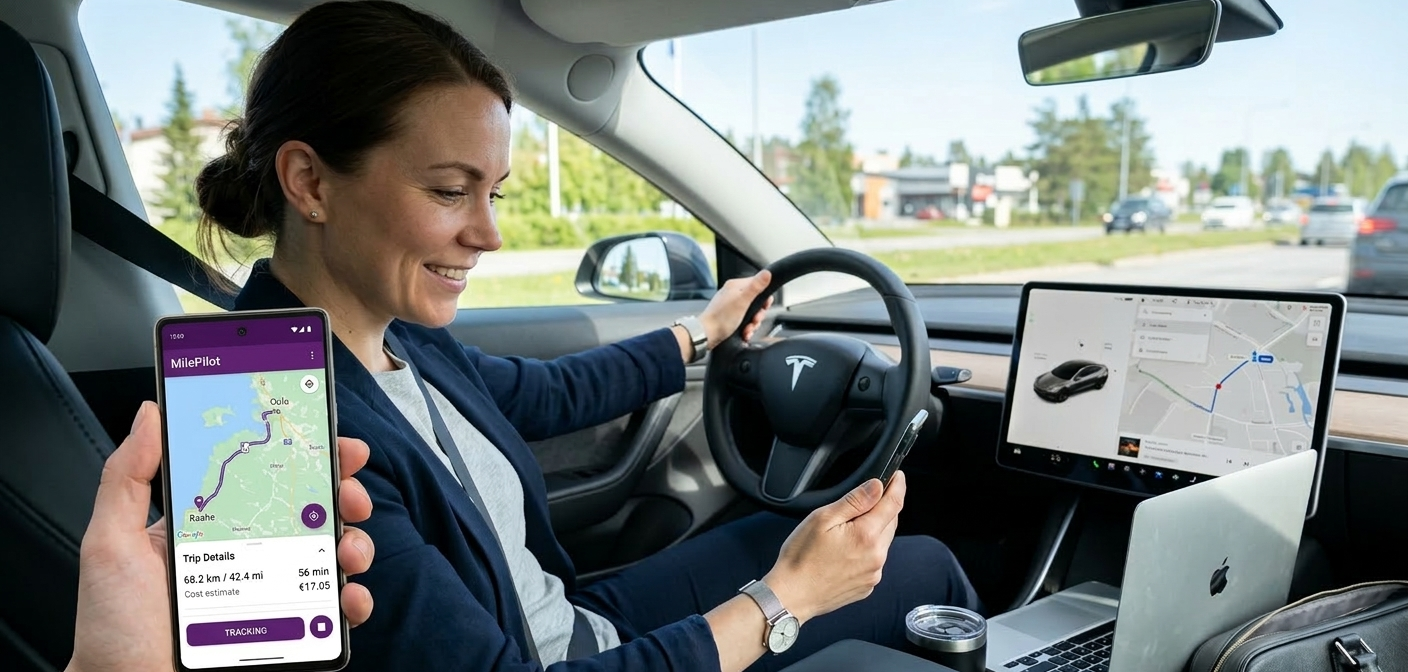
Are you leaving hundreds, or even thousands, of dollars on the table every tax season simply because you are not tracking your business miles?
For freelancers, gig workers, and small business owners, mileage deductions are one of the most overlooked yet powerful ways to reduce taxable income. In 2026, the IRS standard mileage rate sits at 70 cents per mile, meaning every 1,000 business miles you log is worth $700 in deductions. The problem? Most people either forget to track, rely on rough estimates, or think professional mileage apps are too expensive.
The good news is that free trip mileage tracking has never been more accessible or more accurate. Modern GPS-powered apps can log every drive automatically, even when your screen is off, so you never miss a deductible mile. In this guide, you will discover exactly how to track trip mileage for free, which tools actually work, and how to build a system that holds up to an IRS audit. Whether you drive for DoorDash, Wolt, Foodora, Uber Eats, Deliveroo, manage a sales territory, or run errands for your business, this guide is built for you.
Why Free Trip Mileage Tracking Matters for Freelancers and Gig Workers
The True Cost of Not Tracking Your Miles
Most self-employed workers significantly underestimate how many business miles they drive each year. A delivery driver averaging 150 miles per day over 250 working days logs 37,500 miles annually, which translates to over $26,000 in potential deductions at the 2026 IRS rate. Without a reliable system, these miles simply evaporate, and so does that tax savings.
The challenge is consistency. Manually jotting odometer readings in a notebook works in theory, but in practice, most drivers forget after a long shift. According to a report by the
Journal of Accountancy, nearly 60% of self-employed workers who are eligible for mileage deductions fail to claim the full amount they are entitled to, primarily due to incomplete records. The solution is automation, and free trip mileage tracking apps deliver exactly that.
GPS auto-tracking removes the human error entirely. Modern apps like Milelify start logging the moment your vehicle moves and stop automatically when you park, creating a timestamped, court-admissible record of every trip. You get peace of mind, and the IRS gets the documentation it requires.
Who Benefits Most from Free Mileage Tracking
Free trip mileage tracking tools are not just for one type of worker. The range of people who benefit is wide and growing as the gig economy expands. Rideshare and delivery drivers (Uber, Lyft, DoorDash, Instacart,Wolt, Foodora) need accurate mileage logs to deduct vehicle expenses from platform income. Freelance consultants and salespeople who drive to client meetings can deduct every mile between home and appointment. Tradespeople like electricians, plumbers, and cleaners traveling between job sites qualify for deductions on all business-related driving.
Small business owners managing multiple locations or running errands, purchasing supplies, or attending industry events can also accumulate significant deductible mileage. Even real estate agents driving between property showings qualify. The common thread is that any driving done for a business purpose, excluding the daily commute to a fixed workplace, is generally deductible under IRS rules.
The best part is that starting with free trip mileage tracking requires no upfront investment. Tools like Milelify offer 30 free trips per month with full GPS accuracy, which is more than enough for many part-time gig workers to stay compliant and maximize their deductions.
IRS Requirements for Mileage Records
To survive an audit, your mileage log needs to include four key data points for every trip: the date of the trip, the origin and destination, the business purpose, and the total miles driven. Many gig workers are surprised to learn that a bank statement or receipt alone is not sufficient. The IRS specifically requires contemporaneous records, meaning logs created at or near the time of each trip.
This is where GPS-based free trip mileage tracking has a major compliance advantage. Automated logs create a digital paper trail with timestamps and route data that is far more credible than reconstructed records written weeks after the fact. For a deeper understanding of IRS mileage deduction rules, the
IRS Publication 463 is the definitive reference for business vehicle expenses.
How to Set Up Free Trip Mileage Tracking That Actually Works
Choosing the Right Free Mileage Tracking App
Not all free mileage apps are created equal. Some limit the number of trips you can log per month, others require manual trip starts, and some do not work reliably in the background when your screen is off. Before committing to any app, check for these four core features: automatic GPS detection, background tracking, business and personal trip classification, and export capabilities for tax purposes.
Background tracking is the most critical feature because it is the one most apps compromise on with free plans. If an app stops tracking when you lock your phone, you will miss trips constantly. Look for apps that explicitly state their ability to log trips with the screen off, a feature powered by Android and iOS location services running continuously in the background.
When comparing options, consider Milelify’s approach, which combines automatic GPS tracking with an intuitive trip classification system that lets you tag each drive as business or personal in seconds. The free plan includes 30 trips per month, enough for consistent gig workers to build complete monthly logs without paying anything.
Step-by-Step Setup for Reliable Tracking
Getting your free trip mileage tracking system running correctly from day one saves you hours of manual correction later. Follow these steps to configure your app properly:
- Download your chosen mileage app and create an account using your business email address.
- Grant all location permissions including ‘Always Allow’ so the app can track in the background.
- Disable battery optimization for the mileage app in your phone settings to prevent the OS from killing it.
- Set up your vehicle profile and enter your starting odometer reading for accurate records.
- Take a short test drive and confirm the app logged the trip automatically before relying on it.
Milelify includes a guided permission setup flow that walks new users through every Android permission required for reliable background tracking, which eliminates the most common setup mistakes that cause missed trips.
Syncing Your Mileage with Tax Software
Free trip mileage tracking is only as valuable as your ability to use that data at tax time. Most leading mileage apps allow you to export trip history as a CSV or PDF report, which you can then import directly into tax software or hand to your accountant. When exporting, filter by date range (typically January 1 to December 31) and category (business only) to create a clean, ready-to-use document.
According to NerdWallet’s gig economy tax guide, keeping organized mileage records is among the top three actions gig workers can take to reduce their tax liability. Combining a free mileage app with a dedicated business bank account creates a simple, auditable financial system.
Comparing Free vs Paid Mileage Tracking Options in 2026
Feature Comparison: Free Plans vs Premium Subscriptions
The most common concern about free trip mileage tracking is whether free plans offer enough features for real business use. The answer depends on your monthly trip volume and how much data you need at export time. For freelancers driving fewer than 30 trips per month, a generous free plan covers everything. For high-volume drivers, a PRO subscription typically adds unlimited trips, priority support, and advanced reporting.
| Feature | Milelify (Free) | Manual Logbook | Spreadsheet |
| GPS Auto-Tracking | Yes | No | No |
| Trip Classification | Yes | Manual | Manual |
| Monthly Free Trips | 30 Trips | Unlimited (paper) | Unlimited |
| Tax-Ready Export | Yes | No | Limited |
| Background Tracking | Yes | N/A | N/A |
| Cost | Free / PRO plan | Paper cost only | Free (manual effort) |
The table above shows that for core mileage compliance needs, a free plan from a quality app like Milelify delivers substantially more value than manual methods, without the effort of maintaining a paper logbook or spreadsheet. The key differentiator versus a spreadsheet is accuracy. GPS-logged miles are precise to within a few meters, whereas odometer-based manual logs can drift by 5-10% over a year.
When to Upgrade to a PRO Mileage Plan
For full-time delivery drivers or field sales representatives logging 50 to 100+ trips per month, a PRO subscription pays for itself quickly. If the PRO plan costs $5 per month and enables you to log 60 additional trips that average 15 miles each at the 2026 rate of 70 cents, that is $630 in additional deductions captured for $60 per year, a 10-to-1 return on investment.
Milelify’s PRO plan is priced to be accessible compared to competitors like MileIQ and Everlance, making it one of the most cost-effective premium options available. If you are approaching the free tier limit regularly, the upgrade decision becomes straightforward math.
Milelify: The Smart Free Trip Mileage Tracker Built for Gig Workers
Why Milelify Stands Out for Free Mileage Tracking
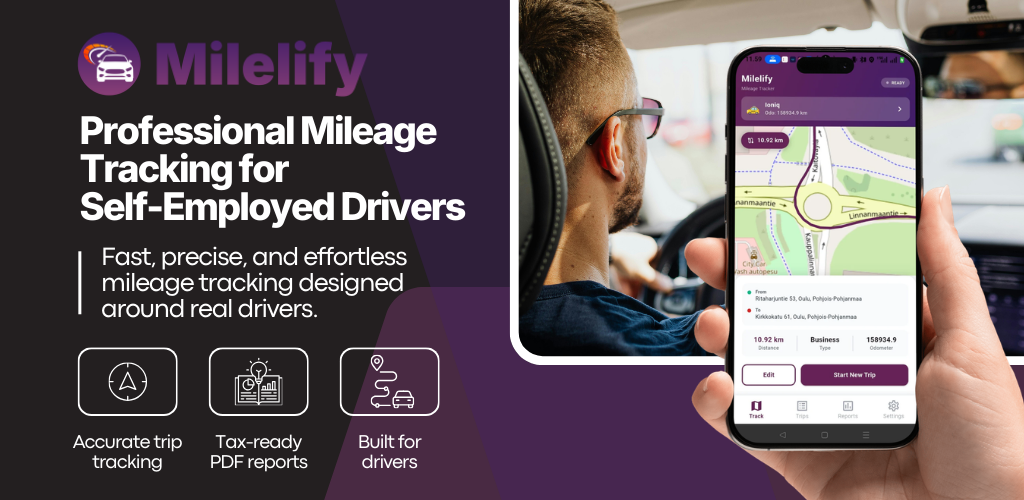
Milelify is built from the ground up for freelancers, gig workers, and small business owners who need accurate, hassle-free trip mileage tracking without paying a subscription fee to get started.
Unlike apps that restrict core features behind a paywall from day one, Milelify’s free plan includes 30 complete GPS-tracked trips per month, giving part-time workers everything they need at zero cost. The app uses real-time GPS to record route, distance, speed, and elapsed time on every trip, with full background tracking that works even when your screen is off and the app is closed.
Key features that set Milelify apart:
- Automatic odometer tracking per vehicle, so your records stay organized across a fleet
- Business and personal trip classification for clean, IRS-ready separation of expense types
- Workplace assignment for business trips, adding context that strengthens deduction claims
- Guided permission setup to ensure reliable background tracking from your very first drive
- Export-ready trip history formatted for tax deductions and employer reimbursements
Start tracking your business miles for free today at milelify.com and stop leaving tax deductions behind.
Best Practices to Maximize Your Free Trip Mileage Tracking
Build a Weekly Mileage Review Habit
Automation handles the logging, but a five-minute weekly review is what separates good records from great ones. Set a recurring reminder every Sunday to open your mileage app, review trips logged during the week, and classify any unclassified drives as business or personal. Addressing trips while the context is fresh prevents the common problem of staring at a list of addresses three months later trying to remember why you drove there.
During your weekly review, also flag any trips the app may have missed due to connectivity issues and add them manually with the date, purpose, and mileage. Most quality free trip mileage tracking apps include a manual trip entry option for exactly this purpose. Keeping your log current throughout the year makes year-end tax filing a quick export rather than a stressful reconstruction project.
Separate Business and Personal Vehicles When Possible
If you drive the same vehicle for both business and personal purposes, consistent trip classification is essential. The IRS allows you to deduct only the business-use percentage of your vehicle’s operating costs if you use the actual expense method, or simply claim the standard mileage rate for business miles only. Either way, an accurate split between business and personal trips is non-negotiable.
For multi-vehicle households or small fleets, setting up a separate vehicle profile in your mileage app for each car creates cleaner records. This is a feature Milelify supports natively with its automatic odometer tracking per vehicle, making it straightforward to manage multiple vehicles under one account. According to QuickBooks’ self-employed expense guide, separating business and personal vehicle records is the single most impactful habit for maximizing vehicle expense deductions.
Export and Archive Monthly Reports
Do not wait until April to export your mileage data. A simple monthly export habit ensures you always have an up-to-date backup of your records. Export a PDF or CSV report at the end of each month, label it clearly (e.g., Mileage-Log-March-2026), and store it in a dedicated folder in Google Drive or Dropbox. This protects you if you ever switch apps, lose your phone, or need to provide records quickly during a reimbursement dispute.
Monthly archives also make it easy to spot patterns in your driving that can inform business decisions. If you notice that client visits in a particular area account for a significant portion of your mileage, you might reconsider your client acceptance criteria, pricing for that region, or whether remote work options could reduce costs.
Start Logging Every Mile Today
Free trip mileage tracking is no longer a luxury reserved for workers with expensive fleet management software. In 2026, accurate GPS mileage logging is available to every freelancer, gig worker, and small business owner at no cost. The only thing standing between you and hundreds, or thousands, of dollars in recovered tax deductions is setting up the right app and building a simple review habit.
From IRS-compliant records to exportable reports, the tools covered in this guide make mileage tracking effortless, accurate, and audit-proof. Whether you log 10 trips a month or 100, there is a free or affordable solution that fits your workflow.
Download Milelify today and claim your first 30 free GPS-tracked trips at milelify.com, because every mile you drive for your business is a mile you should get paid back for at tax time.