

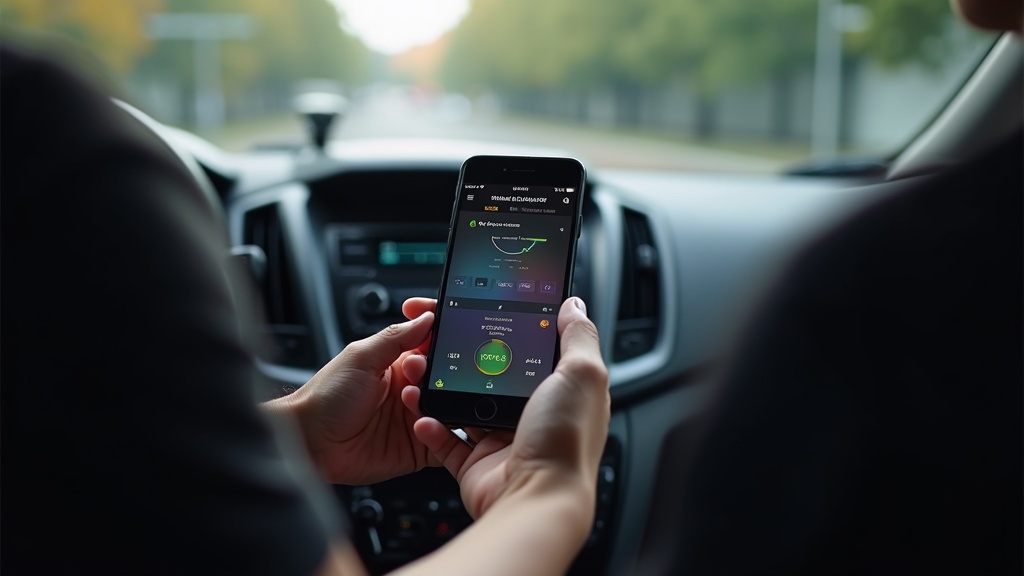
Are you losing hundreds of dollars in tax deductions because you’re not tracking your DoorDash delivery miles properly? As a DoorDash driver in 2026, every mile you drive for work represents potential tax savings that could put more money back in your pocket. The IRS allows delivery drivers to deduct 67 cents per business mile driven, which can add up to thousands of dollars in annual savings for active dashers.
Finding the right free doordash mileage tracker has become crucial for gig economy workers who want to maximize their earnings while staying compliant with tax regulations. With the increasing complexity of tax laws and the growing scrutiny on gig worker deductions, having accurate mileage records isn’t just helpful, it’s essential for protecting yourself during potential audits.
In this comprehensive guide, we’ll explore the best free mileage tracking solutions available for DoorDash drivers in 2026, compare their features, and show you exactly how to implement a tracking system that saves you time while maximizing your deductions. Whether you’re a part-time dasher or driving full-time, the right tracking approach can transform your tax situation.
Why DoorDash Drivers Need Dedicated Mileage Tracking
The gig economy has revolutionized how people earn income, but it’s also created new challenges for tax preparation and record keeping. DoorDash drivers face unique situations that make standard mileage tracking approaches inadequate for their specific needs.
Understanding Your DoorDash Mileage Categories
Not all miles driven as a DoorDash driver qualify for tax deductions, which is why you need a free doordash mileage tracker that can distinguish between different types of driving. Deductible miles include the distance from accepting an order to completing the delivery, plus any driving between deliveries while actively looking for orders.
However, your commute from home to your first delivery area typically isn’t deductible, nor is the drive home after your last delivery of the day. This complexity requires a tracking system that can automatically categorize your trips or make it easy for you to do so manually.
Many drivers lose significant deductions because they only track obvious delivery miles while missing the substantial distances driven between orders. A comprehensive tracking approach captures every deductible mile, including those spent waiting in parking lots or driving to better delivery zones.
The Real Cost of Poor Mileage Tracking
The financial impact of inadequate mileage tracking extends beyond missed deductions. During an IRS audit, drivers without proper documentation may face penalties and be required to pay additional taxes on income that should have been offset by legitimate business expenses.
Consider a driver who completes 200 deliveries per month and drives an average of 8 miles per delivery. Without proper tracking, they might only claim 60% of their actual business miles, losing over $600 in annual deductions. Over several years, this represents thousands of dollars in unnecessary tax payments.
Professional tax preparers consistently report that gig workers with detailed mileage logs receive significantly higher deductions and face fewer questions from tax authorities. The time invested in proper tracking typically pays for itself within the first few months of tax savings.
Legal Requirements and Documentation Standards
The IRS requires contemporary record keeping for mileage deductions, meaning you can’t simply estimate your miles at year-end. Your free doordash mileage tracker must create records that include the date, destination, business purpose, and total miles for each trip.
Digital tracking apps that automatically timestamp and GPS-verify your trips provide the strongest legal protection. These records are much more credible than handwritten logs, which can appear fabricated and are more likely to trigger audit flags.
Modern mileage tracking solutions integrate with your phone’s GPS and can export detailed reports that meet IRS documentation standards. This level of automation ensures you’re always compliant while minimizing the daily effort required to maintain proper records.
Top Free Mileage Tracking Solutions for 2026
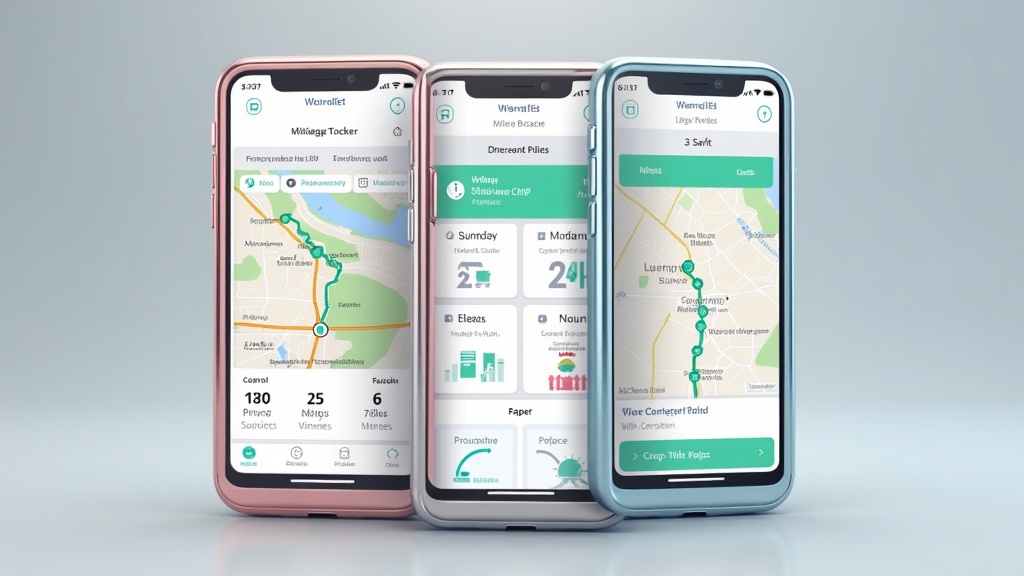
The landscape of mileage tracking apps has evolved significantly, with several solutions now offering robust free tiers specifically designed for delivery drivers. Understanding the capabilities and limitations of each option helps you choose the best fit for your driving patterns and technical preferences.
Automatic vs Manual Tracking Approaches
Automatic mileage tracking represents the gold standard for busy DoorDash drivers who can’t afford to forget starting or stopping their tracking. These systems use your phone’s built-in sensors to detect when you’re driving and automatically log trips without any manual input required.
The best automatic systems can distinguish between different types of trips, learning your patterns to categorize personal versus business driving. Advanced algorithms consider factors like time of day, frequency of stops, and GPS patterns to accurately classify your DoorDash work trips.
However, automatic tracking does consume more battery life and requires consistent location permissions. Some drivers prefer manual tracking for better battery conservation and more precise control over which trips get recorded as business expenses.
Manual tracking apps require you to start and stop tracking for each work session, but they offer more granular control and often include features for adding notes, photos, and expense details. The key is choosing a manual system with intuitive controls that make starting tracking a natural part of your pre-delivery routine.
Essential Features to Look for in Free Apps
A quality free doordash mileage tracker should include GPS-based distance calculation, trip categorization, and export capabilities for tax preparation. Look for apps that can distinguish between business and personal trips, either automatically or through easy manual classification.
Export functionality is crucial since you’ll need to provide detailed records to your tax preparer or include them with your tax return. The best free apps generate IRS-compliant reports in multiple formats, including PDF summaries and detailed CSV files with individual trip data.
Integration with popular tax software can streamline your year-end preparation. Some mileage tracking apps connect directly with TurboTax, H&R Block, and other tax platforms, automatically importing your mileage data to calculate deductions.
Cloud backup and multi-device synchronization ensure your records remain safe even if you lose or replace your phone. This feature becomes essential for full-time drivers who accumulate thousands of trips throughout the year.
Limitations of Free Tracking Solutions
Most free mileage tracking apps impose limitations on the number of trips you can log per month or restrict advanced features like detailed reporting and expense tracking. For casual DoorDash drivers, these limitations might not be problematic, but high-volume drivers often need paid solutions.
Free apps may also lack customer support, making it difficult to resolve technical issues or recover lost data. Consider whether the potential savings from free apps outweigh the risks of losing important tax documentation due to technical problems.
Advertisement-supported free apps can be distracting and may not provide the professional appearance you want when presenting records to tax authorities. Some free versions also have delayed or limited export capabilities, which can complicate tax preparation timing.
Understanding these limitations helps you make an informed decision about whether to start with a free solution and upgrade later, or invest in a premium tracker from the beginning. Many successful DoorDash drivers find that a small monthly investment in quality tracking software pays for itself through increased deductions and peace of mind.
Setting Up Your Optimal Tracking System
Creating an effective mileage tracking system requires more than just downloading an app. The most successful DoorDash drivers develop consistent routines and backup procedures that ensure they never miss recording deductible miles while maintaining accurate, audit-proof records.
Initial Setup and Configuration Best Practices
When configuring your free doordash mileage tracker, start by setting up automatic trip detection parameters that match your typical driving patterns. Most apps allow you to customize sensitivity settings to avoid recording short trips like parking lot movements while capturing all legitimate business driving.
Configure your home and frequent starting locations so the app can automatically classify trips that begin from these points. This setup helps distinguish between commuting miles and business miles, ensuring you’re not accidentally claiming non-deductible travel as business expenses.
Enable all available backup and sync features during initial setup. Losing a year’s worth of mileage data due to phone damage or app failures can cost thousands in lost deductions and create serious problems if you face an audit.
Set up regular export schedules if your chosen app supports this feature. Monthly exports create manageable backup files and make year-end tax preparation much smoother by avoiding the overwhelming task of processing an entire year’s data at once.
Daily Routine Integration Strategies
The most effective mileage tracking happens when it becomes an automatic part of your DoorDash routine. Develop consistent habits around starting and stopping your tracking that align with your natural workflow patterns.
For manual tracking apps, create a pre-delivery checklist that includes starting your mileage tracker along with other routine tasks like checking your phone battery, ensuring your insulated bag is ready, and reviewing current promotions. This systematic approach prevents forgotten tracking sessions.
Consider using your phone’s reminder features or calendar notifications to prompt tracking activities. Setting recurring alerts for common start times can help establish the routine until it becomes second nature.
Some drivers find success in linking mileage tracking to other app activities, such as starting tracking whenever they open the DoorDash driver app or automatically ending tracking when they close the app for the day.
Backup and Data Management Procedures
Implement a comprehensive backup strategy that protects your mileage data through multiple methods. Never rely solely on cloud storage provided by your tracking app, as service interruptions or account issues could compromise access to your records.
Export your mileage data monthly and store copies in multiple locations, including your phone’s local storage, cloud services like Google Drive or iCloud, and your computer. This redundant approach ensures your records remain accessible regardless of technical problems.
Maintain a simple spreadsheet or document that summarizes your monthly driving statistics as a quick reference and additional backup. Include totals for business miles, personal miles, and the number of delivery trips to help verify the accuracy of your automated tracking.
Regular data reviews help identify tracking problems before they become serious issues. Spend a few minutes each week reviewing your recorded trips to ensure the app is capturing your drives accurately and categorizing them correctly.
Milelify: The Professional Solution for Serious DoorDash Drivers
Why Professional Drivers Choose Milelify
For DoorDash drivers who are serious about maximizing their tax deductions while maintaining professional-grade records, Milelify represents the gold standard in mileage tracking solutions. Unlike basic free apps that often leave gaps in coverage or provide limited functionality, Milelify offers comprehensive tracking designed specifically for the unique needs of professional drivers and gig economy workers.
What sets Milelify apart from typical free doordash mileage tracker options is its focus on accuracy, automation, and audit-ready documentation. The platform combines advanced GPS technology with intelligent algorithms that learn your driving patterns to provide precise, reliable mileage records without requiring constant manual input.
- Automatic trip detection and classification: Milelify’s smart algorithms distinguish between business and personal trips, reducing manual categorization work while ensuring accuracy
- Real-time GPS tracking: Precise location data creates indisputable records that meet the highest IRS documentation standards
- Professional reporting capabilities: Generate detailed, audit-ready reports in multiple formats suitable for tax preparation and business record keeping
- Multi-platform synchronization: Access your mileage data across devices with secure cloud backup and real-time synchronization
- Expense integration: Track vehicle-related expenses alongside mileage for comprehensive tax deduction management
Professional DoorDash drivers consistently report that Milelify’s advanced features more than pay for themselves through increased deduction accuracy and time savings during tax preparation. The platform’s focus on the gig economy means it understands the specific challenges faced by delivery drivers and provides solutions tailored to their workflow patterns.
Comparing Your Free DoorDash Mileage Tracker Options
Making an informed decision about mileage tracking requires understanding how different solutions compare across the features that matter most to DoorDash drivers. This comparison focuses on the most important criteria for delivery drivers who need reliable, accurate tracking without excessive complexity.
| Feature | Basic Free Apps | Premium Free Tiers | Milelify |
|---|---|---|---|
| Automatic Detection | Limited/Unreliable | Good with restrictions | Advanced AI-powered |
| Trip Classification | Manual only | Basic automation | Smart learning system |
| Export Options | Basic PDF | Multiple formats | Professional reports |
| Customer Support | None/Community | Limited | Professional support |
| Data Security | Basic | Standard encryption | Enterprise-grade security |
Making the Right Choice for Your Driving Volume
Your optimal free doordash mileage tracker choice depends significantly on how much you drive for DoorDash and your comfort level with technology. Part-time drivers who complete fewer than 100 deliveries monthly may find basic free solutions adequate for their needs.
However, drivers who work more than 20 hours per week or complete over 150 deliveries monthly typically benefit from more robust solutions. The time saved through automation and the increased accuracy of professional-grade tracking often justify moving beyond basic free options.
Consider your long-term plans as a DoorDash driver when making this decision. If you’re planning to increase your driving hours or add other gig economy platforms, starting with a more capable system can save you the hassle of switching tracking methods later.
Full-time DoorDash drivers who treat their delivery work as a serious business venture consistently report better results with professional tracking solutions that provide the accuracy and documentation standards needed for significant tax deductions.
Implementation Timeline and Migration Strategies
When switching to a new mileage tracking system, timing the transition properly ensures you don’t lose any deductible miles during the changeover. Plan your switch at the beginning of a tax quarter to simplify record keeping and avoid confusion during tax preparation.
If you’re currently using a basic free app, export all existing data before making the switch. Many drivers maintain parallel tracking for a few weeks to ensure their new system is working correctly before fully committing to the change.
Test your chosen free doordash mileage tracker during a typical work week to verify it captures your driving patterns accurately. Pay special attention to how well it handles your specific routes, parking habits, and break patterns between deliveries.
Document your testing process and keep notes about any discrepancies or issues you discover. This information helps you fine-tune your settings and provides valuable feedback if you need to contact customer support or consider alternative solutions.
Ready to transform your DoorDash tax deductions with professional-grade mileage tracking? Discover how Milelify can save you thousands in taxes while simplifying your record keeping with advanced automation and audit-ready reports. Join thousands of professional drivers who have already maximized their deductions with the most trusted name in gig economy mileage tracking. Start your journey toward better tax savings and professional record keeping today, and see why serious DoorDash drivers choose Milelify over basic free alternatives for their business success.